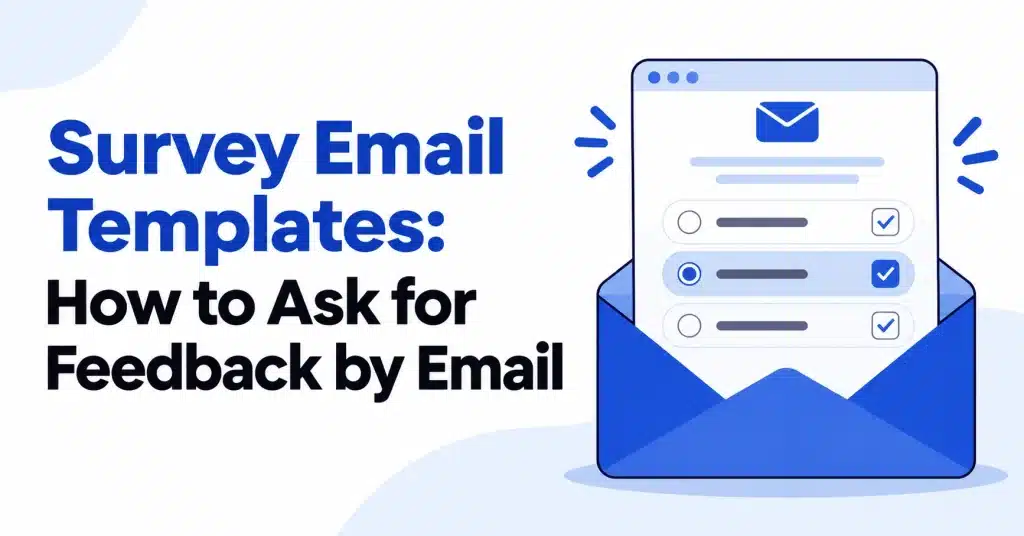
Most people will answer one question. Far fewer will open a link, wait for a form to load and work through ten. Survey email templates that put the first answer inside the email, as a row of numbers or a few labeled buttons, turn a chore into a tap, and the follow-up questions can wait on the page that opens next.
This guide covers eleven layouts from our Survey category, grouped by the kind of question they ask. Template names match their pages, and so do the industry labels in the table. Further down: the Net Promoter Score formula, data on how long people take to answer surveys, send timing, a checklist and an FAQ.
The column and section structure behind these layouts is covered in our email layout guide.
Survey email templates compared
The Survey category also includes layouts filed under review requests, thank you emails and notices that carry a survey question. All eleven below are tagged Automated except Membership Cancelled, which is Transactional.
| Template | Industry label | Answer format | Size |
|---|---|---|---|
| NPS Score Survey | SaaS | 0 to 10 text links | 10.6 KB |
| NPS Ten Scale | SaaS | 0 to 10 round buttons | 25.3 KB |
| Customer Feedback Survey | Ecommerce | 1 to 5 links | 10.2 KB |
| Hotel Guest Survey | Travel | Three stacked buttons | 21.1 KB |
| Fitness Class Feedback | Fitness | Three answer columns | 14.6 KB |
| Car Service Review Request | Automotive | Five stacked buttons | 22.7 KB |
| Language Class Review | Education | 1 to 5 square buttons | 16.2 KB |
| Product Review Request | Ecommerce, Beauty | Five outline buttons | 19 KB |
| Event Attendee Thank You | Agency | One survey button | 16.4 KB |
| Webinar Replay Follow-Up | Finance | One survey button | 13.1 KB |
| Membership Cancelled | Fitness | Four reason buttons | 16.8 KB |
NPS survey email templates
A Net Promoter Score survey asks one fixed question. Bain’s Net Promoter System page gives it as “How likely are you to recommend us to a friend or colleague?”, answered on a scale from zero to ten. People who answer 9 or 10 are promoters, 0 to 6 are detractors, and the score is the percentage of promoters minus the percentage of detractors. Both templates below follow that scale.
1. NPS Score Survey
Metricly, a sample analytics product, sends an NPS survey email that could pass for a message typed by someone on the team. It is nearly plain text on white: a small wordmark, a two line greeting (“I have one quick question. It takes about ten seconds.”), the question as a heading, then 0 to 10 as a single row of links with a key underneath. One paragraph says the score goes to the product team and that an optional follow-up may appear after the click. The head of product signs it.
Send it: to people active in the last 30 days, no more than once a quarter per person, as the template page advises.
2. NPS Ten Scale
Tallybook’s version is more visual. A teal band holds the question as a large white headline with a laptop photo, and the eleven answers are round orange buttons in three short rows, so they stay easy to tap on a phone. A note explains the two ends of the scale, a few lines thank the reader, and a dark footer band closes it.
Choose it: when the survey should match a branded newsletter. Choose NPS Score Survey when it should feel personal.
Customer feedback email templates
3. Customer Feedback Survey
Wren & Willow, a four person paper goods shop, sends this customer feedback email a week after delivery. A drawing of an envelope and pencil sits by the shop name, one question asks how the order went, and the numbers 1 to 5 appear as large links with a key. A thank you code (THANKS10, 10% off the next order) closes it, with a line making clear it applies whatever score you give.
Why it works: offering the code regardless of the answer keeps the feedback honest.
4. Hotel Guest Survey
Seabright, a hotel by the water, sends this the day after checkout. A lake and forest photo carries “How was your stay?” in live text. Three stacked buttons give the answers: a filled one for “Loved it” and outline buttons for “It was fine” and “Something was not right”. A muted line says the manager reads every answer and replies within a day if something went wrong. Two optional photo rows ask about the room and breakfast.
Why it works: promising a reply makes a low score feel safe to give.
5. Fitness Class Feedback
Flowstate Yoga sends this a couple of hours after class. A details card repeats the class name, date, time and room, so there is no doubt which session is meant. Three columns give the answers (Loved it, It was okay, Not for me), each with a one line explanation and a Pick this link. The instructor invites longer replies by email and signs with her name.
Why it works: the class details card removes any confusion for members who attend several classes a week.
Feedback request email templates after a service
6. Car Service Review Request
Ridgeway Motors sends this a day after the car is collected. A garage photo sits under “How did we do?” and the service name. Five stacked buttons run from Excellent to Poor, each a link that records the answer. Three icons explain what happens next: the team reads every answer, someone calls back if something went wrong, and the notes shape training. The closing panel, on a dark background, adds a free car wash to the next booking.
7. Language Class Review
This feedback request email comes from the teacher, not the school. A small round photo and a short note in Marta’s voice ask how Spanish B1 felt. Directly beneath are five square buttons numbered 1 through 5, with a line explaining what the numbers mean. Keeping the note short keeps the buttons near the top on a phone.
8. Product Review Request
Dewdrop, a skincare shop, waits three weeks after delivery so the customer has used the product. A rose petal photo sits under the wordmark, the headline names the cream, and five outline buttons run from “Love it” to “Not for me”. A small line says the next page lets people add a sentence or a photo if they want. Three icons promise that reviews guide new batches, are shown as written, and that no reminder follows.
Survey invitation email templates inside other emails
Some of the most natural moments to ask for feedback are emails you send anyway, and these survey email templates add the question to them.
9. Event Attendee Thank You
Kindred Conference writes to attendees the day after the event, with replays and speaker decks first. Below a divider comes the survey block. It promises just three questions, covering sessions, venue and catering, and says the organizers go through every reply before planning next year. A single button opens it.
10. Webinar Replay Follow-Up
Northstar Wealth sends the replay and four numbered takeaways, with two columns that link the slides and offer a call with a planner. At the end sits a short survey invitation email block: three questions, under two minutes, with one button. Stating the length up front tells readers exactly what they are agreeing to.
11. Membership Cancelled
Tidewell Pilates confirms a cancellation with neat rows (plan, last day of access, next charge, balance) and then asks “What made you leave?” with four tap buttons: I moved, Class times, The price, Other. The template page advises leaving any offer out and keeping it a clean goodbye.
How long should a survey be?
SurveyMonkey’s analysis of survey completion times, based on a random sample of about 100,000 surveys and last updated February 4, 2026, found that respondents spend about 75 seconds on the first question, including reading any introduction, and about 5 minutes in total on a 10 question survey. Time per question drops as people go further in.
That first question carries the most weight, which is why all of these survey email templates put it in the email itself. A one-click survey answer can be recorded the moment someone taps, even if they never finish the follow-up page. Keep extra questions optional, and say how many there are, as Event Attendee Thank You and Webinar Replay Follow-Up do.
Writing the survey question
The wording matters as much as the layout. A few rules that the survey email templates above follow:
- Ask about one thing. “How was Slow Flow tonight?” is easier to answer than “How satisfied are you with our classes, staff and facilities?”
- Name the moment. The class, the stay, the order or the service date in the question or a details card leaves no doubt about what is being rated.
- Keep answer labels short and plain. “Loved it”, “It was fine” and “Something was not right” read faster than a five point agreement scale.
- Explain what happens next. One line saying who reads the answers, and whether anyone will reply, turns a request into a conversation.
- Leave space for more. A reply-to address or an optional comment box on the follow-up page catches the detail a button cannot.
If you need several questions, put them on the page that opens after the first tap, and keep the email itself to the single question that matters most.
When to send a survey email
| Moment | Template example | Timing from the template page |
|---|---|---|
| After a class | Fitness Class Feedback | The same evening |
| After a stay | Hotel Guest Survey | The day after checkout |
| After a service | Car Service Review Request | 24 hours after pickup |
| After delivery | Customer Feedback Survey | A week after the order arrives |
| After using a product | Product Review Request | A few weeks after the order arrives |
| After an event | Event Attendee Thank You | Within 24 hours |
| Regular product check | NPS Score Survey | Every few months, at most once a quarter per person |
Design tips for survey email templates
- Put the first answer in the email. Number links or labeled buttons beat a single “Take the survey” button when you only need one answer.
- Label both ends of a scale. Every numbered template here adds a small key such as “0 means not at all likely”.
- Size buttons for thumbs. NPS Ten Scale splits eleven buttons into three rows for this reason.
- Say who reads the answers. A manager, an instructor or a product lead makes the request feel real.
- Do not tie rewards to good scores. If you offer a thank you, give it for any answer, as Customer Feedback Survey does.
- Link each answer to its own URL. Several of these template pages advise exactly this, so the first tap saves the response.
Checklist for survey email templates before sending
- One question in the email, answerable with one tap
- Scale labeled at both ends
- Each answer links to a page that records it immediately
- Follow-up questions optional, with the count stated
- Sender is a named person or team
- Send time matches the moment (class, stay, delivery, event)
- Frequency limit set, especially for NPS
FAQ
Is a survey email the same as a review request?
A survey collects feedback for you; a review request asks for a public rating. The line can blur: Car Service Review Request’s page suggests pointing its five buttons at either a survey tool or a review page.
How do I calculate NPS from the replies?
Subtract the percentage of detractors (scores 0 to 6) from the percentage of promoters (9 or 10), following Bain’s method. Scores of 7 and 8 count toward the total but not either group.
Should I offer an incentive for answering?
You can, as long as it does not depend on the score. Customer Feedback Survey and Refund Approved Notice both offer a small discount for taking part.
Can I build the survey inside the email?
Partly. The first answer can live in the email as links, which is how every template here works. None of them embeds a full form; longer questions sit on the web page that opens after the tap.
Are these survey email templates free?
Yes, to view and copy. Every template page offers a preview and Copy HTML with no sign-in. Editing online and exporting files (5 a month) require a Free account, priced at $0; pricing has the full breakdown.
Wrapping up
Survey email templates work when the ask is small, specific and timed to the moment. Put one question in the email, make the answer a tap, say who reads it, and keep everything else optional. All eleven layouts are in the Survey category.