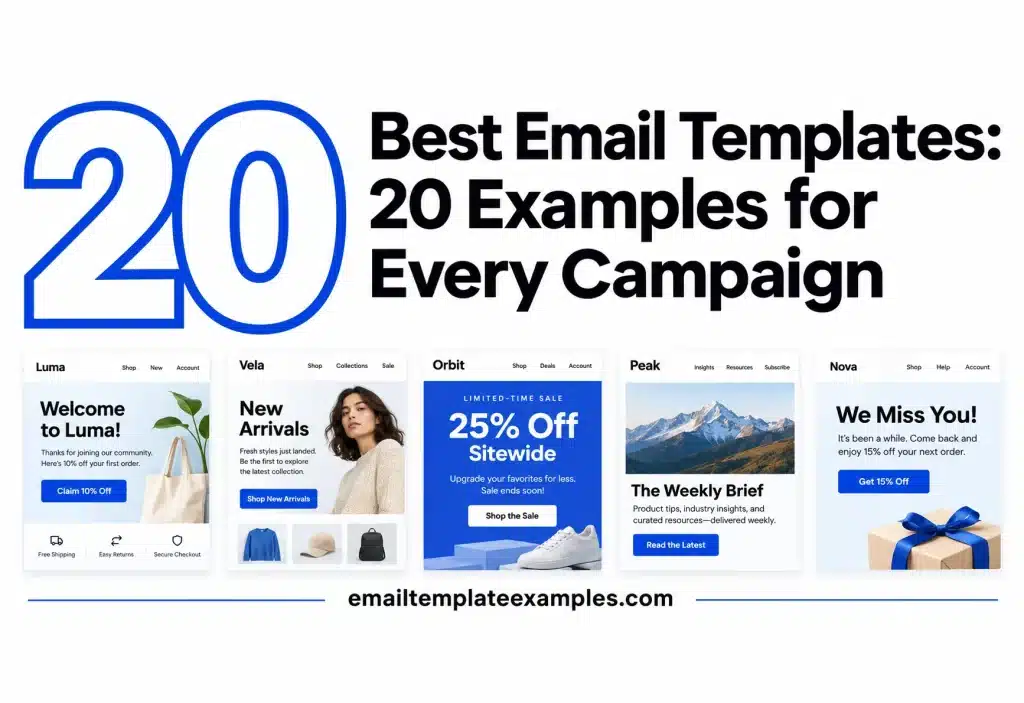
Most teams send the same dozen kinds of email over and over: a hello for new subscribers, a regular newsletter, a sale, a cart reminder, an order receipt, a shipping update, an invite, a win-back. The best email templates for that work are the ones that already have the right blocks in the right order, so you only swap words, photos and links. This guide picks 20 templates from our library, one or two per campaign type, and says what each one does well and what you will need to change before you send it.
This is not a paid ranking. We picked each template because it covers a common campaign job, stays well under the size where Gmail clips long messages, and holds up in the phone and dark previews on its page. The numbers only help you find your place in the list.
Looking for where free templates come from and how to check their license? Read our planned guide to free email templates. To browse all 258 designs at once, open the template library.
The 20 templates at a glance
| # | Template | Category | Good starting point for |
|---|---|---|---|
| 1 | Coffee Shop Welcome | Welcome | A shop greeting new subscribers with a first order code |
| 2 | Serif Newsletter Welcome | Welcome | A writer or publication confirming what arrives and when |
| 3 | SaaS Onboarding Checklist | Onboarding | A software product getting new users to their first steps |
| 4 | Blog Stories Digest | Newsletter | A content team sending six posts in one email |
| 5 | Editorial Brief Newsletter | Newsletter | A text-led weekly letter with reading picks |
| 6 | Market Brief Text Newsletter | Newsletter | A numbers-heavy update with no images at all |
| 7 | Travel Agency Destinations | Promotional | Showing many offers with photos |
| 8 | Meal Milestone Reward | Coupon | A reward unlocked by one more order |
| 9 | Property Listings Showcase | Promotional | New listings with prices in a grid |
| 10 | Abandoned Cart Reminder | Abandoned cart | Bringing a shopper back to saved items |
| 11 | Your Size Is Back | Back in stock | Telling people a size has returned |
| 12 | Order Confirmed Receipt | Order confirmation | A full order summary with totals |
| 13 | Order Shipped Tracking | Shipping | Sending the tracking number |
| 14 | Art Gallery Opening | Event invitation | An in-person opening night |
| 15 | SaaS Live Webinar Invite | Webinar | Seat sign-ups for a live session |
| 16 | Winback 25% Off | Re-engagement | Lapsed customers |
| 17 | Loyalty Points Statement | Loyalty and referral | A points balance and ways to earn |
| 18 | Product Review Request | Review request | One-tap ratings after delivery |
| 19 | Christmas Last Order Dates | Holiday | Shipping cutoffs before the holidays |
| 20 | SaaS Feature Announcement | Announcement | Showing several new features in one send |
How we chose the best email templates
Every template in the library is a complete HTML email built with tables and inline CSS, and each page shows a desktop preview at 600 px, a phone preview at 375 px, light, dark and Gmail views, and the file size next to Gmail’s 102 KB clipping point. We used those previews as the first filter. A template made this list only if the phone view stacked cleanly and the dark view kept the text readable. That dark check matters: Litmus’s dark mode explainer for marketers notes that a few popular clients, iOS Gmail and Outlook 2021 on Windows among them, flip both the light and the dark parts of a message, so a design that looks fine by day can lose contrast at night.
We also looked at where people actually open mail. According to the Litmus email client market share report for September 2026, calculated from over 1.5 billion opens, Apple accounted for 76.56% of tracked opens (a figure that includes Mail Privacy Protection opens) and Gmail for 16.10%. That is why the phone and Gmail views on each template page matter more than how the email looks on a wide monitor.
Welcome and onboarding templates
1. Coffee Shop Welcome
A photo-led greeting for a coffee roaster with a large serif headline, a warm cafe photo, three bestsellers with prices and a 10% first order code. See the Coffee Shop Welcome template.
Best for: small shops that want the first email to sell gently.
What to change: the hero photo, the three products and the code.
- File size on the page: 24.7 KB
- Works as the first email in a short welcome series
2. Serif Newsletter Welcome
This one reads like a letter. It opens on a desk photo and a serif greeting, shows what lands each Sunday as a row of icons, adds a pick from the archive and closes with a signed note. Open the Serif Newsletter Welcome template.
Best for: writers, podcasts and media brands.
What to change: the send day, the icon row and the signature.
- File size on the page: 17.9 KB
- No product grid, so it suits lists that do not sell
3. SaaS Onboarding Checklist
A big greeting, one blue button and three numbered first steps with links, then a grey panel that points to help. Preview the SaaS Onboarding Checklist template.
Best for: apps that need a new user to finish setup.
What to change: the three steps, so they match your real setup flow.
- File size on the page: 15 KB
- One primary action keeps the next move obvious
For more greetings, the Welcome category holds 24 designs.
Newsletter templates
4. Blog Stories Digest
A calm photo hero, then six stories in a two-column grid. Each story gets a photo, date, category, a short line and a blue Read more button. View the Blog Stories Digest template.
Best for: content teams with several posts a week.
What to change: cut the grid to four stories if you publish less often.
- File size on the page: 31 KB
- The two columns stack into one on phones
5. Editorial Brief Newsletter
A text-led weekly letter in warm paper tones: a serif essay title, three numbered reading picks, a tool of the week, an editor quote and a share button. See the Editorial Brief Newsletter template.
Best for: curators and consultants whose voice is the product.
What to change: the essay, the picks and the quote each week.
- File size on the page: 19.5 KB
6. Market Brief Text Newsletter
Five numbered items separated by thin rules, a reader quote and mono headings, with no images at all. Open the Market Brief Text Newsletter template.
Best for: finance, research and B2B updates where readers want facts fast.
What to change: only the copy; the layout carries no photos to replace.
- File size on the page: 14.2 KB
- Reads the same with images blocked
The Newsletter category holds 45 designs in total, these three included, if none of them match your rhythm.
Promotional and coupon templates
7. Travel Agency Destinations
A long, photo-rich send: an island hero, a dark welcome band, six tall destination photos, trip facts, two journal posts, two guides and packing tips. View the Travel Agency Destinations template.
Best for: travel sellers and any brand with a lot of visual inventory.
What to change: trim the six destinations to the offers you are running this month.
- File size on the page: 36 KB
- Plenty of photos, so check it with images turned off
8. Meal Milestone Reward
A green wordmark for a food delivery app, a “one order to go” headline, a progress box showing the reward, a food photo and a green button. Preview the Meal Milestone Reward template.
Best for: apps that reward a count of orders or visits.
What to change: the progress number, which should come from your customer data.
- File size on the page: 12.2 KB
9. Property Listings Showcase
A real estate newsletter with a town photo on top, a row of services, four homes with prices in a grid, a band of numbers and a split panel on why to buy. Open the Property Listings Showcase template.
Best for: agents and brokers sending new listings.
What to change: the four homes and the numbers band.
- File size on the page: 36.8 KB, the heaviest pick here and still far under 102 KB
The Promotional category holds 61 designs, including its Black Friday and Cyber Monday sales.
Ecommerce lifecycle templates
10. Abandoned Cart Reminder
A friendly “you left something” note for a home decor shop, the saved items with prices, a 10% code and a return to cart button. Open the Abandoned Cart Reminder template.
Best for: the first reminder after a shopper leaves.
What to change: connect the item rows to your store’s cart data in your sending tool.
- File size on the page: 15.6 KB
Timing counts as much as the layout here. Shopify’s guide to abandoned cart emails suggests an opening nudge two to four hours after someone walks away from their cart, with no discount yet, then a follow-up 24 to 48 hours later that can carry an offer. If you send a series, you could hold this template’s 10% code back for the second email.
11. Your Size Is Back
Half photo and half dark panel on top, then a tap button for each shoe size that came back, with short delivery and return promises. See the Your Size Is Back template.
Best for: footwear and apparel restocks.
What to change: the size buttons, so each one links to the right variant.
- File size on the page: 21.8 KB
12. Order Confirmed Receipt
Items with images, then subtotal, shipping, tax and total, followed by shipping and payment details and a track order button. Preview the Order Confirmed Receipt template.
Best for: any store that wants a clear record of the purchase.
What to change: the field placeholders, which your platform fills per order.
- File size on the page: 15.9 KB
13. Order Shipped Tracking
A parcel illustration for a handmade goods shop, the tracking number in a code box, the items in the parcel and a track button. View the Order Shipped Tracking template.
Best for: small shops that send tracking by hand or by automation.
What to change: the carrier link behind the button.
- File size on the page: 13.5 KB
Event and webinar templates
14. Art Gallery Opening
White and editorial: a big serif show title over a gallery photo, an opening night details card, a note on the work and a panel for late openings. Open the Art Gallery Opening template.
Best for: galleries, studios and venues.
What to change: the date card and the map or address link.
- File size on the page: 19.9 KB
15. SaaS Live Webinar Invite
A dark navy split panel with a laptop photo, a date card, three topics with photos and a “Save my seat” button. See the SaaS Live Webinar Invite template.
Best for: product demos and training sessions.
What to change: the time zone line, so people outside your region know when to join.
- File size on the page: 24.9 KB
Retention templates
16. Winback 25% Off
A burnt orange band with a large 25% offer, a dashed code box, three small product updates and a soft way out for people who want fewer emails. Preview the Winback 25% Off template.
Best for: customers who have not bought in months.
What to change: the updates, so they show what is new since the reader left.
- File size on the page: 16.6 KB
Keep that way out easy to find. Per Gmail’s sender requirements from Google, bulk senders who pass 5,000 daily sends into Gmail inboxes need a one-click opt-out for promotional mail, and the opt-out link in the body must be easy to spot too.
17. Loyalty Points Statement
It opens on the number: a dark band with the points balance and how many points remain to the next reward, then three ways to earn more. View the Loyalty Points Statement template.
Best for: cafes and shops with a points program.
What to change: the balance fields and the earning rules.
- File size on the page: 14.8 KB
18. Product Review Request
A petal photo for a skincare brand, five one-tap rating buttons, a note on how reviews get used and small rose icons. Open the Product Review Request template.
Best for: asking for a rating a few days after delivery.
What to change: point each rating button at your review form.
- File size on the page: 19 KB
Seasonal and announcement templates
19. Christmas Last Order Dates
No photos at all: a deep green band, the last order date for each delivery method, a small code and one button. See the Christmas Last Order Dates template.
Best for: any shop that ships gifts in December.
What to change: the dates, which must match your carriers’ real cutoffs.
- File size on the page: 14.2 KB
20. SaaS Feature Announcement
Violet and mint, with a builder screen illustration, four features with icons in two rows and a “Try now” button. Preview the SaaS Feature Announcement template.
Best for: monthly release roundups.
What to change: the four features and the illustration.
- File size on the page: 15.6 KB
Putting a template to work
Preview and Copy HTML are free on every template page with no account. If you would rather change text, images, colors and buttons in a visual editor, that needs a free account. Once the HTML is ready, paste it into the custom HTML or code editor of your sending tool.
Check what your tool allows first. According to Mailchimp’s guide to importing custom HTML templates, custom HTML templates need a Standard plan or higher, and a ZIP upload must stay under 1MB with a single HTML file and its images in the root folder. If you add your own CSS, Can I Email lists which email clients support each HTML and CSS feature. Then send a test to your own inbox and open it on a phone before it goes to your list.
If you want to see how real brands use these same layouts, HubSpot’s roundup of email design examples collects sends from companies such as Apple, J.Crew and Uber. Our planned collection of email marketing campaign examples will cover the message side in more depth.
FAQ
Are these email templates free?
Yes. You can preview each one, read its code and copy the HTML without an account. Editing in our editor and exporting .html or .zip files need a free account.
Will the templates work in Gmail and Outlook?
They are built with tables and inline CSS, which is how HTML email is usually made, and each page has a Gmail view and a file size check. Email apps still render HTML in different ways, so always send yourself a test first.
Can I use them in Mailchimp, Brevo or HubSpot?
Yes. Copy the HTML and paste it into the custom HTML or code editor of your tool, then change the text, links and images.
Why is the list limited to 20?
Twenty covers the common campaign jobs with one or two strong options each. The full library holds 258 templates across 28 categories if you need a different look.
Picking your first template
A good template saves you from rebuilding structure every time: the greeting, the grid, the code box and the receipt rows are already in place. Pick the one that matches the job, change the parts listed under each item, and test it on a phone and in dark mode before sending. To compare more designs side by side, browse the full template library.