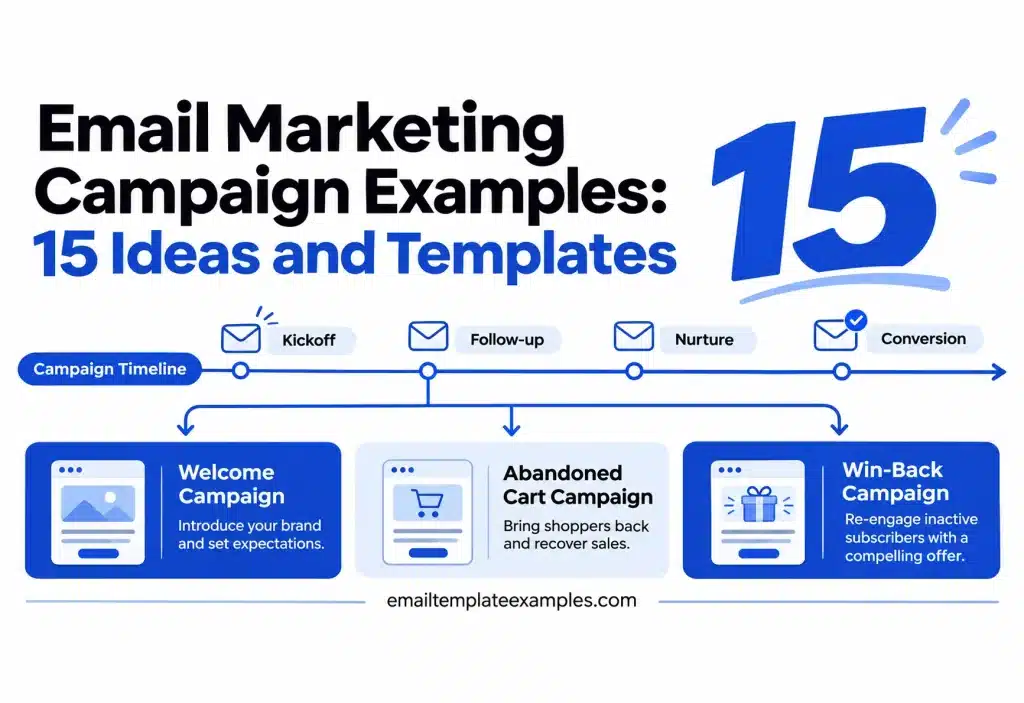
One email rarely does the whole job. A new subscriber needs a few messages to get to know you, a shopper with a full cart may need two reminders, and a webinar needs an invite, a confirmation and a replay. This guide collects 15 email marketing campaign examples built as short sequences. Each one lists the goal, how many emails to send, a suggested schedule and a free HTML template for every step.
The timings below are starting points we suggest, not results from a study. Adjust them to your audience and your sales cycle. If you are looking for single emails rather than sequences, see our list of 25 email marketing examples.
What is an email marketing campaign?
HubSpot’s guide to email marketing campaigns describes a campaign as a coordinated series of emails sent to a segmented audience to reach a specific business goal. It splits the work into five stages: segmentation, a trigger or schedule, the message sequence, engagement tracking and optimization.
Some campaigns go out on a date you choose, like a holiday sale. Others start when a person does something. Klaviyo’s help article on flows calls these flows and explains that time delays set the wait between steps. So a first message sent a day after sign-up, followed by a two day wait, puts the second message on day three.
At a glance
| # | Campaign | Emails | Start |
|---|---|---|---|
| 1 | Welcome series | 3 | Sign-up |
| 2 | Free trial to paid | 4 | Trial start |
| 3 | Abandoned cart | 2 | Checkout started |
| 4 | Browse and price drop | 2 | Product viewed or saved |
| 5 | Waitlist to launch | 2 | Launch date |
| 6 | Member early access sale | 2 | Sale date |
| 7 | Holiday gift season | 2 | Early December |
| 8 | Webinar | 3 | Invite date |
| 9 | Conference or event | 2 | Invite date |
| 10 | Post-purchase | 3 | Order placed |
| 11 | Feedback | 2 | After use or delivery |
| 12 | Customer milestones | 2 | Birthday or anniversary |
| 13 | Win-back and list cleanup | 2 | Months of inactivity |
| 14 | Year-end fundraising | 3 | Giving Tuesday |
| 15 | Renewal and price change | 2 | Weeks before renewal |
Campaigns for new subscribers and users
1. Welcome series
The first days after a sign-up decide whether someone keeps opening. A welcome series spreads the introduction out instead of fitting it into one long message.
Goal: a first purchase and a habit of opening.
Emails: 3. Suggested timing: right away, day 3, day 7.
- Say hello, show two bestsellers and give the sign-up code: Skincare Brand Welcome.
- Tell the story behind the brand in a personal letter: Founder Note Day Three, which was designed as the third message in a series.
- Remind them the code is still waiting, using the same welcome template with fresh product picks.
2. Free trial to paid
A trial campaign has two jobs: help people reach real value, then ask them to pay before access ends.
Goal: paid plans at the end of the trial.
Emails: 4. Suggested timing: day 0, day 2, three days before the end, last day.
- Set expectations and offer a setup call: SaaS Trial Welcome.
- Walk through the first three tasks: SaaS Onboarding Checklist.
- Show what the user has built so far, with an upgrade coupon: Trial Ending Reminder.
- State the end date and the paid benefits: Trial Ends Upgrade.
Campaigns that recover lost sales
3. Abandoned cart
Shoppers leave carts for many reasons. A short sequence reminds them, then gives a final reason to finish.
Goal: completed checkouts.
Emails: 2. Suggested timing: a few hours after the cart is left, then a day later.
- A friendly nudge with the saved items and a small code: Abandoned Cart Reminder.
- A last note from the owner with a 24 hour code and a customer review: Last Chance Cart Reminder.
Klaviyo’s abandoned cart flow guide uses a flow filter based on the Placed Order event, so anyone who completes a purchase drops out before the next reminder. Whatever platform you use, add a similar exit rule.
4. Browse and price drop
Not every visitor fills a cart. Some only look, and some save items for later.
Goal: a return visit to products the person already viewed.
Emails: 2. Suggested timing: a day after the visit, then whenever a saved product is marked down.
- Show the products they looked at, with prices and no pressure: Browse Left Behind Grid.
- Send the new price the moment it changes: Price Drop on Your Wishlist.
Launch and sale campaigns
5. Waitlist to launch
A waitlist is a list of people who have already raised their hand. Treat them first.
Goal: early orders from your most interested audience.
Emails: 2. Suggested timing: opening day for the waitlist, then public launch a few days later.
- Open access to the waitlist with a short video and the main benefits: Feature Waitlist Opens.
- Announce the product to everyone with the price and ship date: Headphones Pre-Order Launch.
6. Member early access sale
Letting members shop before everyone else rewards loyalty and spreads demand across more days.
Goal: sale revenue, with members feeling valued.
Emails: 2. Suggested timing: member preview, then the public sale one or two days later.
- Invite members in early: Store Exclusive Offers.
- Open the sale to the full list: End of Season Clearance.
Our guide to promotional email examples has more sale layouts for each step.
7. Holiday gift season
Gift shoppers need ideas first and dates second.
Goal: holiday orders that arrive in time.
Emails: 2. Suggested timing: early in the season, then a few days before your last shipping date.
- Help people choose with gifts grouped by price: Christmas Gift Guide.
- List the final order date for each delivery option: Christmas Last Order Dates.
Browse all Holiday templates for other dates in the calendar.
Event campaigns
8. Webinar
Online events have a clear before, during and after, which makes them a natural three-step campaign.
Goal: registrations, attendance and views of the recording.
Emails: 3. Suggested timing: two to three weeks before, right after sign-up, the day after the session.
- Invite people with the date, speakers and agenda: Product Webinar Invite.
- Confirm the seat and give calendar links: Webinar Registration Confirmed.
- Send the replay with the main lessons: Webinar Replay Follow-Up.
9. Conference or in-person event
An in-person event needs the venue and schedule up front, then a thank you that keeps the conversation going.
Goal: ticket sales and a strong follow-up.
Emails: 2, plus reminders as needed. Suggested timing: a month or more before, then the day after.
- Invite with the agenda tracks and venue: Marketing Summit Invitation.
- Thank attendees and share the slides, replays and a short survey: Event Attendee Thank You.
See every Event invitation template for other event types.
Campaigns after the sale
10. Post-purchase
Shopify’s email marketing guide points out that shipping emails reach customers who are already excited about their order, and suggests using order confirmations to keep the customer after the first sale.
Goal: a smooth delivery experience and a review.
Emails: 3. Suggested timing: at checkout, at dispatch, a week or two after delivery.
- Confirm the order and the total: Order Confirmed Receipt.
- Send the tracking number: Order Shipped Tracking.
- Ask for a rating once the product has been used: Product Review Request.
11. Feedback
A feedback campaign is short on purpose. One question, then one reminder for those who missed it.
Goal: honest answers from enough customers to act on.
Emails: 2. Suggested timing: soon after the experience, then a reminder a few days later.
- Ask one question on a 1 to 5 scale, with a thank you code: Customer Feedback Survey.
- For software users, ask the 0 to 10 recommend question: NPS Ten Scale.
There are more layouts among the Survey templates.
12. Customer milestones
Birthdays and anniversaries give you a reason to write that has nothing to do with your sales calendar.
Goal: goodwill and a visit during the milestone.
Emails: 2 per year. Suggested timing: on or just before the birthday, and on the customer’s first order anniversary.
- A birthday code with a few gift ideas: Fashion Birthday Reward.
- A one year thank you with a gift code: Customer Anniversary Thank You.
Retention and nonprofit campaigns
13. Win-back and list cleanup
When people stop opening or ordering, first try to bring them back. If that fails, ask whether they still want your emails.
Goal: customers who come back, and a smaller list of engaged readers.
Emails: 2. Suggested timing: after a long quiet period you define, then two weeks later for those who did not respond.
- A warm note with an offer: Food App We Miss You.
- A plain yes or no question about staying subscribed: Stay Subscribed Reconfirm.
The Re-engagement templates include versions for gyms, hotels, apps and shops.
14. Year-end fundraising
Many charities plan their giving season around Giving Tuesday and the last days of the year.
Goal: donations, then thanks that keep donors for next year.
Emails: 3. Suggested timing: Giving Tuesday, late December, early January.
- Announce a gift match with clear amounts: Giving Tuesday Match.
- Show what each gift pays for this winter: Year End Giving Zigzag.
- Thank everyone who gave: Holiday Thank You.
15. Renewal and price change
Customers forgive a price change more easily when it is explained early and plainly.
Goal: renewals with few surprised customers.
Emails: 2. Suggested timing: a month or more before the new price starts, then a week or two before renewal.
- Explain the old price, the new price and why: Price Change Plain Notice.
- Remind them of the date and amount, with options to keep or change the plan: Renewal Coming Up.
How to plan your own email marketing campaign examples
Start from the five stages HubSpot lists and answer one question for each:
- Who gets it? Choose the segment, such as new subscribers or buyers from last month.
- What starts it? Pick an action, like a sign-up, or a fixed date.
- What does each email do? Give every message one purpose. If two emails would say the same thing, cut one.
- How will you measure it? Decide on the number that matters before you send. Mailchimp’s benchmarks page says open rate figures are affected by Apple Mail Privacy Protection, so clicks, orders and replies are usually safer signals.
- What will you change? Review the sequence after a few weeks and adjust the timing or the copy.
Keep the look consistent across the sequence. If the welcome email uses one header and button style, the rest of the series should too, so readers recognize you in the inbox.
FAQ
How many emails should an email campaign have?
There is no fixed number. Most of the examples above use two to four, enough to make the point without repeating it. End it for anyone who has already taken the action you asked for.
How is a flow different from a campaign?
The terms overlap. Klaviyo uses flow for automated messages that start from something a person does, such as subscribing. Shopify uses broadcast for emails sent to your whole list or a segment of it. A campaign can include either kind.
Should every email in a sequence share one template?
It often helps. Keeping one layout and changing the copy and products for each step makes the series feel connected.
Do I have to pay for these templates?
No. Previewing a template and copying its HTML works without an account. A free account adds the editor and lets you export .html or .zip files.
Final thoughts
A good campaign is a short conversation with a clear end. Pick one of the 15 sequences above that matches a gap in your program, write one purpose for each email and set the delays. Then measure it by what people do after they click.
Every template mentioned here is part of our free email template library, which has 258 designs across 28 categories.